
Lubbock County CAD Property Search, Appraisal Value, Homestead Exemption, Protest and Tax Payment Help
Use this complete guide to search Lubbock County property records, check appraisal value, file a homestead exemption, understand 2026 protest steps, estimate taxes, pay property taxes, and contact the right official office.
Lubbock Central Appraisal District is not only for value lookup. It also issues annual property tax bills, receives property tax payments, processes homestead exemptions, and handles protests and appeals for property owners.
Quick Answer for Lubbock County CAD
Lubbock County CAD is the common search term for Lubbock Central Appraisal District. Use it for property search, appraisal value, property ID, account number, owner name, situs address, legal description, neighborhood code, property type, market value and assessed value.
LCAD also handles homestead exemption filing, protest and appeal questions, estimated tax tools, tax bills and property tax payment support.
Use the Right Office First
Jump to the Right Section
Lubbock County CAD Image Guide
This image is used as a visual guide for this article. Do not use an image, screenshot or old notice for live value, payment balance, protest status or legal ownership proof.
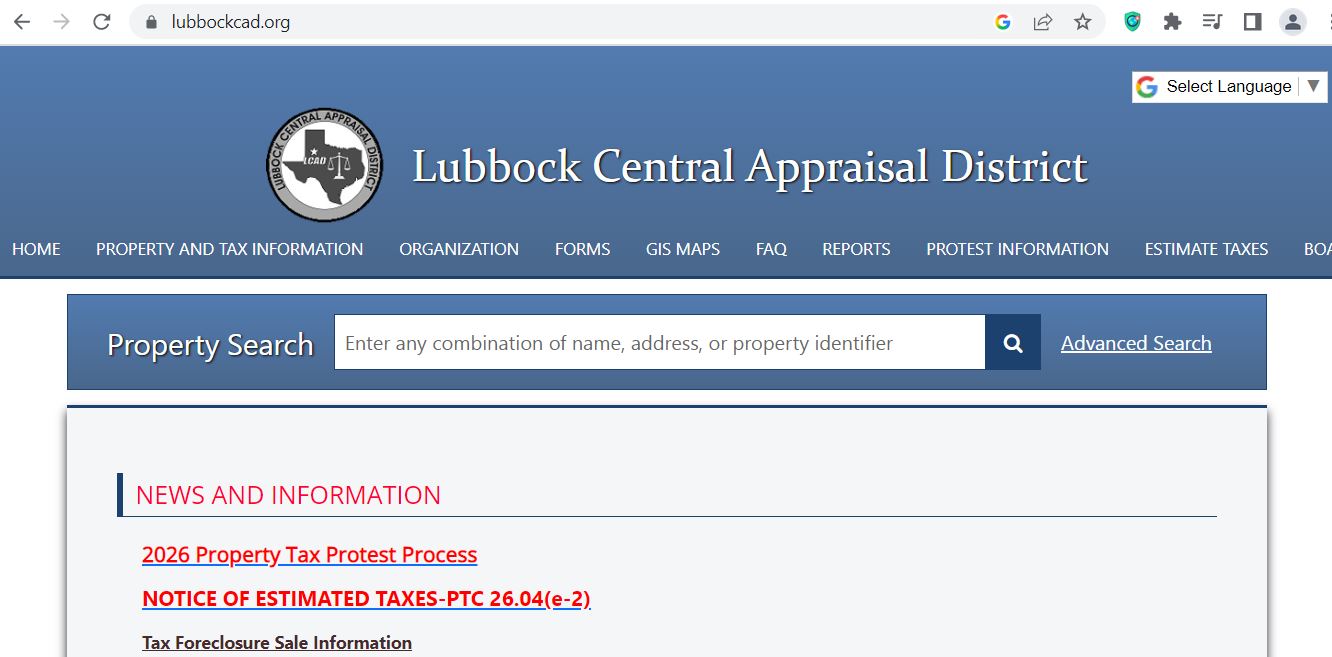
How to Search Lubbock County CAD Property Records
Start on the official Lubbock CAD website. The property search is available from the home page and the search result table shows important fields like Property ID, Account, Owner ID, Owner Name, Owner Address, Situs Address, Legal Description, Neighborhood Code, Abstract, Subdivision, Property Type, Assessed Value and Market Value.
Use the official Lubbock Central Appraisal District website. This helps you avoid old or copied third-party data.
Try owner name, property ID, account number or address. Do not enter too many words in the first search.
Match owner name, situs address, legal description and property type before using value or bill data.
Look for market value, assessed value, exemptions, bills, payment history and protest or homestead options.
Before filing, protesting or paying, save a PDF, screenshot or printout of the property record and account details.
Best Search Method by Situation
| Your Situation | Best Search Field | What to Check | Common Mistake to Avoid |
|---|---|---|---|
| You have a notice or bill | Property ID or Account | Property ID, account, tax year and amount due. | Do not search only by name if you already have an ID. |
| You know the owner name | Owner Name | Owner spelling, owner address and situs address. | Do not assume the first result is your property. |
| You know the location | Situs Address | Street number, street name and city area. | Do not use too many address suffixes at first. |
| You want to protest | Property record first | Market value, assessed value, property type and exemptions. | Do not protest only because the tax bill is high. |
| You want to pay taxes | Property search then Bills tab | Amount due, payment history and confirmation number. | Do not close payment page without confirmation number. |
How to Pay Lubbock County Property Taxes
Lubbock CAD provides payment support through the property record. You first locate the property using the Property Search feature. Then use the Bills tab on desktop, or the Property Bills link on mobile.
| Payment Method | Official Detail | Practical Tip |
|---|---|---|
| Online e-check | $1.50 flat fee | Good option when you want a lower processing fee. |
| Credit card | 2.19% fee, minimum $1.00 | Read the fee screen before confirming payment. |
| Debit card | 1% fee, minimum $1.00 | Confirm the total before final submit. |
| Phone payment | 1-800-231-6584 | Keep QuickRef ID ready before calling. |
| Mail payment | P.O. Box 10568, Lubbock, TX 79408 | Make check payable to Lubbock Central Appraisal District. |
| Drop box | Drop box at 2109 Avenue Q | Do not put cash in the drop box. |
Desktop vs Mobile Payment Steps
Lubbock CAD Homestead Exemption Help
LCAD clearly warns that there is never a fee to file for any exemption. If a company contacts you and asks for a one-time processing fee to file a homestead exemption, do not respond.
LCAD says online homestead filing is available. Search for your property, open the property record, look for HS Exemption, and click the flag to apply.
How to File or Prepare a Lubbock CAD Protest
Lubbock CAD encourages property owners to use the online inquiry/protest process. It is the fastest way to start and manage an inquiry or protest.
The protest deadline is May 15 or 30 days after the date the appraisal notice was mailed.
Open your LCAD property record and check market value, assessed value, property type, exemptions and account details.
Common issues include wrong square footage, wrong condition, wrong classification, missing exemption, unequal appraisal or market value too high.
Use photos, sales, repair estimates, closing statement, rent data, business records, or comparable property data.
Use the online protest option when possible. Save the confirmation or proof that your protest was submitted.
LCAD provides Appraisal Review Board 2026 hearing procedures, teleconference guidelines, videoconference guidelines, affidavit of evidence, and protest forms.
Evidence Ideas by Property Type
| Property Type | Useful Evidence | Simple Tip |
|---|---|---|
| Residential home | Photos, repair estimates, comparable sales, closing statement, condition issues. | Show why your home is not equal to better-condition homes nearby. |
| Rental property | Rent roll, lease, vacancy, expenses, repair records and sale comps. | Use real income and condition data, not only opinion. |
| Commercial property | Income, expense, rent, vacancy, repair and market data. | Explain business-use limits and physical condition clearly. |
| Business personal property | Asset list, purchase date, cost, depreciation, disposed items. | Match your rendition with your protest evidence. |
| Agricultural or rural land | Maps, leases, land-use records, crop, grazing or livestock evidence. | Show actual use and condition of the land. |
Lubbock CAD Forms and Filing Options
LCAD forms page says there is no charge to file for any exemption. Forms can be returned by email, fax, mail or office delivery.
| Form / Task | Official Category | How to Submit | Practical Tip |
|---|---|---|---|
| Homestead exemption | Exemption Application Forms | Online, email, fax, mail or office delivery. | Never pay a third-party fee to file exemption. |
| Notice of Protest | ARB – Appraisal Review Forms | Online inquiry/protest or protest form. | File by May 15 or 30 days after notice mailing date. |
| Business rendition | Rendition Forms | Email, fax, mail or office delivery. | Keep asset list, cost and purchase date ready. |
| Special appraisal | Special Appraisal Forms | Submit with required proof. | Land-use proof matters. Keep maps and activity records. |
| Special inventory | Special Inventory Forms | Use the correct inventory form. | Dealers should match form type with business inventory. |
How to Use Lubbock CAD Estimate Taxes Tool
The LCAD Estimate Taxes tool gives only an estimate of ad valorem tax due. It is not a final bill. The final bill depends on certified value, exemptions, tax rates and special assessments.
Lubbock CAD Office Details
Use Lubbock Central Appraisal District for property search, values, bills, payments, homestead exemptions, protests and appraisal questions.
| Detail | Official Information | Use It For |
|---|---|---|
| Office name | Lubbock Central Appraisal District | CAD records, bills, exemptions and protests. |
| Office address | 2109 Avenue Q, Lubbock, TX 79411 | Office visit and drop box. |
| Payment mailing address | P.O. Box 10568, Lubbock, TX 79408 | Mailed property tax payments. |
| Forms mailing address | P.O. Box 10542, Lubbock, TX 79408 | Mailed forms and exemption documents. |
| Phone | 806-762-5000 | Property, payment, exemption and protest questions. |
| Fax | 806-762-2451 | Faxed documents when accepted. |
| info@lubbockcad.org | Questions, documents and address changes. | |
| Public information requests | pir@lubbockcad.org | Open records and public information requests. |
| Office hours | Monday-Friday, 8:30 AM-5:00 PM | Calls, visits and document delivery. |
Lubbock County Tax Assessor-Collector Details
Use the Lubbock County Tax Assessor-Collector for motor vehicle services, not as your first stop for property appraisal value or protest. Lubbock County says LCAD handles property assessed value, tax bills, homestead exemptions, payments and protests.
Lubbock Local Tips for Better Results
Taxing Units and Worksheets to Check
LCAD’s property and tax information page lists tax rate worksheet categories for many local taxing units. These include Lubbock County, Lubbock City, Lubbock ISD, Frenship ISD, Lubbock Cooper ISD, High Plains Water District, Lubbock County Hospital District, Slaton City, Shallowater City, Wolfforth City, Ransom Canyon and several school districts.
Common Problems and Fast Fixes
| Problem | Fast Fix | Best Office |
|---|---|---|
| No property search result | Use fewer words. Search by property ID, owner last name or street name only. | LCAD |
| Need to pay but cannot find Bills tab | On mobile, use the drop-down and choose Property Bills. | LCAD payment support |
| Payment made but no confirmation | Contact LCAD. Payment is not complete without confirmation number. | LCAD |
| Homestead company asks for fee | Do not respond. LCAD says there is never a fee to file any exemption. | LCAD |
| Tax estimator looks wrong | Check PID or special assessment issue and contact LCAD. | LCAD |
| Need vehicle registration | Use Lubbock County Tax Assessor-Collector, not LCAD. | County Tax Office |
CAD vs Tax Office vs County Clerk
| Your Task | Correct Place | Why |
|---|---|---|
| Search owner, value or account | Lubbock CAD property search | LCAD maintains appraisal and tax account records. |
| File homestead exemption | Lubbock CAD | LCAD processes homestead exemptions. |
| File value protest | Lubbock CAD protest portal | LCAD handles protests and ARB process. |
| Pay property taxes | Lubbock CAD bills and payment system | LCAD issues tax bills and receives property tax payments. |
| Vehicle title or registration | Lubbock County Tax Assessor-Collector | The county tax office handles motor vehicle services. |
| Deed copy or title proof | Lubbock County Clerk records | CAD records are not legal deed records. |
Lubbock CAD Office Map
Use this map for directions to Lubbock Central Appraisal District at 2109 Avenue Q. Call before visiting if you need deadline-sensitive help.
Official Links
Use these official links only after you know your task. This helps you avoid wrong-office visits and wrong-account payments.
Related Texas CAD Guides
Lubbock County CAD FAQs
What is Lubbock County CAD?
Lubbock County CAD is the common search term for Lubbock Central Appraisal District. It handles property search, appraised value, tax bills, homestead exemptions, payment support, protests and appeals.
Where is Lubbock Central Appraisal District located?
Lubbock Central Appraisal District is located at 2109 Avenue Q, Lubbock, Texas 79411.
What is the Lubbock CAD phone number?
The Lubbock Central Appraisal District phone number is 806-762-5000.
Who is the Lubbock CAD Chief Appraiser?
Lubbock CAD lists Tim Radloff as Chief Appraiser and Administrator.
How do I search Lubbock County CAD property records?
Use the official Lubbock CAD property search. Search by property ID, account, owner name or address, then confirm the owner, situs address, property type and value before using the result.
Where do I pay Lubbock County property taxes?
Search your property on the official Lubbock CAD website, open the Bills tab or Property Bills link, and complete payment online or by phone. You can also mail payment to Lubbock Central Appraisal District, P.O. Box 10568, Lubbock, TX 79408.
What is the Lubbock CAD phone payment number?
The official LCAD payment instructions list 1-800-231-6584 for phone payments and say you need the QuickRef ID of the property.
What is the Lubbock CAD bureau code for Certified Payments?
The official payment instructions list Certified Payments bureau code 6729248.
Is there a fee to file a Lubbock CAD homestead exemption?
No. Lubbock CAD says there is never a fee to file for any exemption. Do not respond to a company asking for a one-time processing fee.
What is the Lubbock CAD protest deadline?
The Lubbock CAD protest deadline is May 15 or 30 days after the date the appraisal notice was mailed.
Can I use the Lubbock CAD tax estimator as a final bill?
No. The Lubbock CAD tax estimator gives only an estimate. Final taxes depend on certified value, exemptions, tax rates and special assessments.
Are Lubbock CAD records legal deed records?
No. CAD records are appraisal records. Use county clerk records for deed, title or official recorded-document proof.
Independent Guide Disclaimer
County-CAD.org is an independent guide. It is not Lubbock Central Appraisal District, Lubbock County Tax Office, Lubbock County Clerk or Lubbock County Government. Confirm all values, forms, deadlines, payment details, fees, account data and office procedures with the official office before filing or paying.
Last editorial check: July 10, 2026. Official links and contact details were checked from Lubbock CAD, Lubbock CAD payment instructions, Lubbock County Tax Assessor-Collector and Lubbock County property tax collections pages.