Search Ector County Property Records, Review the 2026 Appraisal and Pay the Correct Tax Account
Ector County CAD maintains the official appraisal record for homes, commercial buildings, acreage, business equipment, manufactured homes, industrial property and Permian Basin mineral interests.
First, find the correct 2026 account. Next, review the property characteristics, preliminary value, exemptions, appraisal limitations and account-specific protest deadline.
ECAD also provides property-tax collection services. Therefore, you can move from the appraisal record to tax details, unpaid balances and the official payment option.
Quick Answer: Which Ector County Property Office Should You Use?
Use Ector County CAD for
Property searches, appraisal values, building data, exemptions, agricultural valuation, business accounts, minerals, GIS and protests.
Use ECAD Collections for
Property-tax statements, balances, online payments, receipts, partial-payment guidance and delinquent-tax arrangements.
Use the County Tax Office for
Vehicle registration, vehicle titles and other County Tax Assessor-Collector services.
Use the County Clerk for
Deeds, liens, releases, easements, plats, oil and gas documents, probate records and certified copies.
Use a licensed surveyor for
Exact acreage, corners, fence placement, encroachments, access and legal boundaries.
Use a title professional for
Full ownership, lien, mineral, easement and chain-of-title research before buying or lending.
Simple routing rule: ECAD handles appraisal and property-tax collection. The County Clerk handles recorded ownership documents. The County Tax Office does not collect Ector County property taxes.
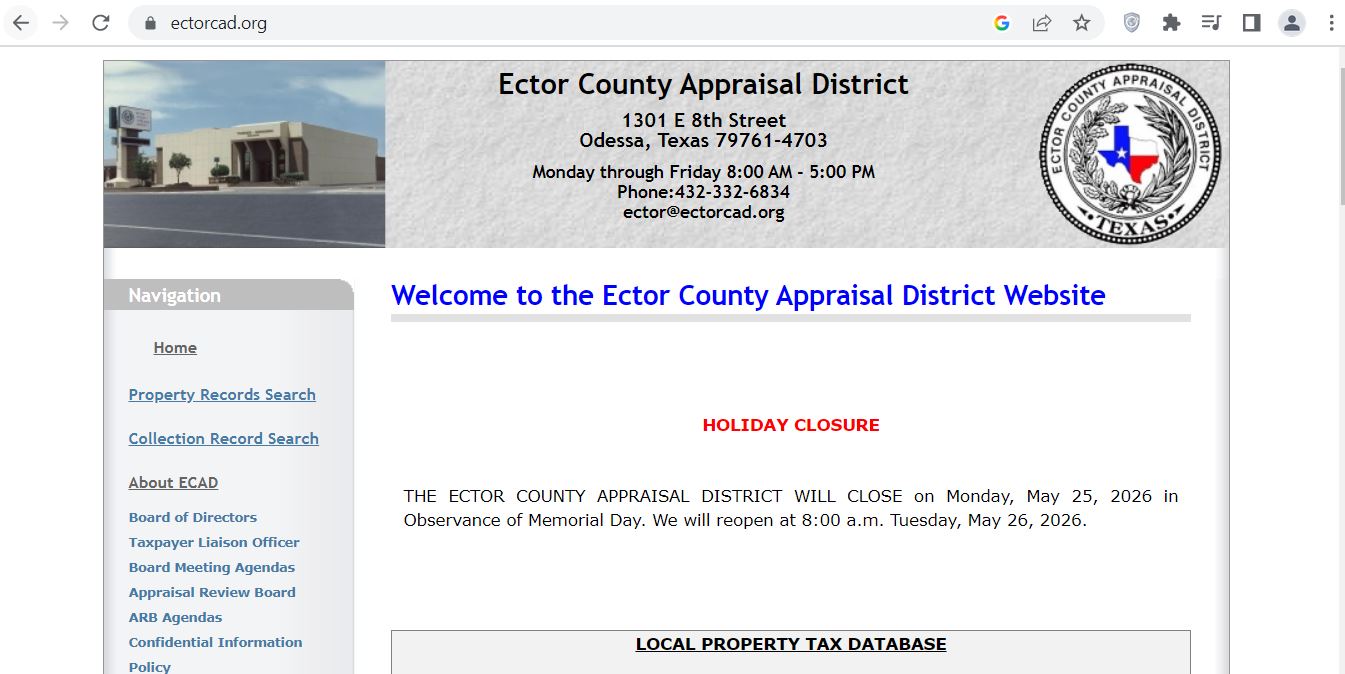
The supplied screenshot is embedded below. The official website layout may change, but the verified task routes remain the same.
Ector County Appraisal District website used for property records, tax collections, exemptions, deadlines and appraisal appeals.
1Select Property Records Search
This opens the new search system for parcels and personal-property accounts.
2Choose the correct search area
Use Search All Records, Parcel Records, Personal Property or Advanced Parcel Search.
3Open the matching result
Verify the account number, owner, location, legal description and property type.
4Read the protest deadline
The account page displays a deadline specific to that parcel or personal-property account.
5Select View Tax Bill or Tax Details
Use this route to review original tax amounts, unpaid balances and payment options.
6Save proof
Print the account, notice, exemption filing, protest confirmation or payment receipt.
Best screenshot workflow: Search first. Match the account. Review 2026 values and the deadline. Then open the map, forms, protest information or tax details.
How to Complete an Ector County CAD Property Search
The current ECAD search combines parcels and personal-property records in one system.
Start with Search All Records.
Enter an account number, owner name or property location.
Use Parcel Records for real estate.
Choose this option for homes, land, commercial buildings and other real property.
Use Personal Property Records for business assets.
Choose this option for equipment, inventory, vehicles, utilities and special-inventory accounts.
Enter the owner name carefully.
Start with the last name or business name. Add more information only when necessary.
Simplify a property location.
Use the street number and core street name. Remove punctuation and unnecessary words.
Use the account number for an exact result.
Copy the complete number from an appraisal notice, tax statement or prior account.
Open every likely match.
One owner may have a parcel, business account, mineral account, leasehold interest or special-inventory account.
Review the current record status.
The 2026 figures may appear as preliminary or working values before final certification.
Save the complete account.
Keep the account number, owner, legal description, values, exemptions and deadline.
Local search tip: Address search works well for many Odessa properties. Account number, parcel number, subdivision or legal description can work better for rural land and complex commercial sites.
How to Use the ECAD Advanced Parcel Search
Advanced Search helps when a simple owner or address search returns too many records.
Advanced Field
Best Use
Practical Tip
Owner Name
Finding parcels owned by a person, company, trust or estate.
Start with fewer characters.
Street Number Range
Finding several parcels along one block or corridor.
Use a narrow range when possible.
Street Name
Finding addressed parcels when the full location differs.
Enter the beginning of the street name.
Location City
Separating Odessa, Goldsmith and other location records.
Use Ctrl-click when selecting several cities.
Subdivision
Locating platted residential or commercial parcels.
Match the block and lot after opening the result.
Neighborhood
Comparing accounts in the same appraisal market area.
Neighborhood does not automatically make two properties comparable.
Parcel Number
Opening a known parcel or a group of related parcel numbers.
Use “contains” when you have only part of the number.
Tax District
Finding parcels within a particular entity combination.
Always verify the district on the individual account.
Property Use
Separating residential, commercial, vacant and other uses.
Use it with a location or subdivision filter.
Zone
Narrowing parcels by the zoning data stored in ECAD.
Confirm official zoning with the responsible city or county office.
Square-Foot Range
Finding commercial or residential properties of a similar size.
Check actual building data before using a property as a comparable.
Acreage Range
Locating vacant or rural tracts within a size range.
Verify acreage with the deed and survey.
Construction Year
Finding buildings from a similar age group.
Original year does not show every renovation.
Five Checks Before You Rely on an Ector CAD Result
Account number
Match the notice or statement.
Owner wording
Check trusts, estates and DBAs.
Property location
Confirm the correct physical site.
Legal description
Match the deed or plat.
Account type
Confirm parcel, business or special inventory.
Separate-account warning: A building, business equipment, leasehold interest, mineral property, mobile home and dealer inventory can use separate accounts.
Ector County CAD Search Problems and Practical Fixes
Search Problem
What to Try
What to Verify
Full owner name returns no result
Use only the last name, company keyword or first few characters.
The account may use a spouse, trust, estate, DBA or prior owner.
A recent buyer is missing
Search the seller or previous owner.
Compare ECAD with the latest County Clerk deed.
Complete address gives no result
Remove the direction, suffix, unit and punctuation.
The ECAD location may differ from postal formatting.
Too many owner results appear
Add a street, city, subdivision, parcel number or property use.
Do not select a record only because the name looks similar.
Rural tract has no useful address
Use the parcel number, legal description, owner or acreage range.
Match the tract, section, block and acreage with the deed.
Business account is missing
Search Personal Property Records by owner, DBA or physical location.
The parcel and business assets are separate accounts.
Inactive account is missing
Use ECAD’s inactive-account collection search.
Prior taxes may remain due after an account was split, moved or closed.
Mineral account is missing
Use ECAD’s mineral-owner search and payment route.
Surface ownership does not prove mineral ownership.
“I am trying to identify the correct Ector CAD account. The owner or prior owner is ______, the location is ______, and my deed or tax statement shows ______. Can you confirm the account number, legal description and account type?”
How to Read an Ector County Property Record
Record Field
Plain-English Meaning
What to Check
Account or Parcel Number
The identifying number for the appraisal record.
Use it for forms, calls, protests and payments.
Owner
The ownership wording displayed on the appraisal roll.
Use the recorded deed when legal ownership must be proven.
Mailing Address
Where ECAD sends notices and tax statements.
Submit a written change when the address is outdated.
Location
The physical situs shown in the appraisal database.
It may differ from postal or emergency-address formatting.
Use Code
ECAD’s property-use classification.
Confirm residential, vacant, commercial or other use.
Tax District
The combination of taxing entities assigned to the account.
Review every entity before estimating or paying taxes.
Map Parcel
A reference used to connect the account with ECAD mapping.
Match the selected GIS parcel to the legal description.
Acreage
The acreage stored in the appraisal system.
Verify it with the deed and survey.
Legal Description
Subdivision, lot, block, section, tract or other recorded description.
Compare it with the deed, plat and title commitment.
Building Value
Value assigned to structures and improvements.
Size, age, use, quality, condition and removed buildings.
Land Value
ECAD’s market estimate for the land.
Location, frontage, access, zoning, utilities and acreage.
Total Property Value
Combined value before some exemptions or limitations.
Compare it with actual property condition and market evidence.
Special-Use Appraisal
A productivity or other special valuation when applicable.
Confirm the qualifying acreage and use.
Cap Loss
Value excluded by an applicable appraisal limitation.
A cap does not prove the market value is correct.
Protest Deadline
The filing date displayed for that specific account.
Do not assume every ECAD account has the same date.
Research warning: ECAD records and GIS support tax appraisal. They do not replace a deed, survey, title search, engineering report or legal opinion.
Ector County CAD 2026 Appraisal and Tax Calendar
ECAD uses an annual reappraisal cycle. Therefore, the district reviews property values each year as of January 1.
Most real-property protests follow the May 15 or 30-days-after-notice rule. However, the live search shows different 2026 deadlines on different accounts.
January 1, 2026
Ownership, taxable status, property condition and market value are generally measured.
April 15, 2026
Regular rendition deadline for most business personal property.
April 30, 2026
ECAD’s regular deadline for common homestead, age-65, disability and agricultural filings.
May 15 or later
Most protests were due May 15 or 30 days after the notice date, whichever was later.
Account-specific date
Some business and later-issued accounts display May 31, June 19 or another 2026 date.
August–September
Taxing entities publish proposed rates and conduct public hearings.
October 1
Current-year property taxes become due and payable.
January 31, 2027
This is usually the final day to pay 2026 taxes without penalty and interest.
February 1, 2027
Penalty and interest generally begin on unpaid 2026 taxes.
April 1, 2027
A 20% collection fee can apply to delinquent business-personal-property taxes.
July 1, 2027
A 20% collection fee can apply to other delinquent property taxes.
Address changes
ECAD instructs owners to report address or mortgage-company changes in writing before September 1.
August 1, 2026 status: ECAD’s 2026 online-protest application is closed. A later notice or narrow statutory remedy may still carry a different deadline.
Deadline rule: Open the live account and read its protest deadline. Then compare that date with the appraisal notice.
2026 Homestead and Non-Homestead Appraisal Limits
Residence-homestead cap
A qualifying homestead’s appraised value generally cannot increase by more than 10% per year, plus new improvements.
Cap starts later
The limitation normally begins the year after the owner first qualifies for the residence-homestead exemption.
Market value can be higher
ECAD may display market value above the capped appraised value.
2026 circuit breaker
Qualifying non-homestead real property valued at $5.32 million or less may receive a 20% appraisal limitation.
Special-use exclusions
The circuit breaker does not apply to several categories receiving agricultural or other special appraisal.
Sale can reset the limit
The prior owner’s limitation generally does not transfer to the purchaser.
Common mistake: An appraisal cap limits assessed value. It does not automatically prove that the market value is accurate.
How to Use the Ector County CAD GIS Map
Find the appraisal account first.
Save the account number, owner, property location and legal description.
Allow the map to load.
Use a current browser and enable JavaScript.
Search or select the parcel.
Use the account or parcel information saved from the records search.
Compare the selected parcel.
Match the owner, mailing address, neighborhood, subdivision and tax district.
Review parcel details.
The map can display acreage, building data, land data, sales and available plat information.
Review adjoining accounts.
Look for separate tracts, access strips, lots, leaseholds and related ownership.
Verify legal boundaries independently.
Use the deed, recorded plat, title work and a licensed surveyor.
Boundary warning: ECAD GIS is an appraisal research tool. It does not establish legal corners, ownership, easements or access rights.
Ector County Homestead and Property-Tax Exemptions
File exemption applications with Ector County CAD.
For a general residence homestead, the owner must claim the property as the principal residence and provide the documentation required by the current application.
Exemption or Relief
2026 Starting Point
What to Prepare
General residence homestead
School districts provide a mandatory $140,000 exemption.
Ownership, principal-residence information and matching identification.
Age 65 or older
Eligible owners receive an additional $60,000 school exemption.
Texas identification showing the qualifying birth date.
Disabled person
Eligible owners may receive the additional $60,000 school exemption.
Social Security disability verification or other required proof.
Disabled veteran
Partial or total relief depends on the qualifying disability or survivor category.
A current VA letter and applicable service or survivor records.
Heir-property homestead
An occupying heir may qualify before every title issue is resolved.
Affidavit, death certificate, residence proof and available estate documents.
Manufactured-home homestead
A qualifying manufactured home may receive residence-homestead relief.
The TDHCA Statement of Ownership and other required documents.
Ector County Homestead Application Steps
Search the correct parcel.
Confirm the account number, owner, location and legal description.
Select Homestead Exemption Form 50-114.
Use the current state application.
Review ownership status.
When ECAD does not list you as owner, prepare a recorded deed, probated will, divorce decree or qualifying contract.
Prepare identification.
ECAD generally requires Texas identification showing the same address as the homestead.
Complete special sections.
Include trust, heir-property, spouse, partial-interest or manufactured-home information.
Attach every required document.
Include identification for all owners when the application requires it.
Submit the signed application.
Mail or deliver it to ECAD using the current instructions.
Keep proof of filing.
Save the application, attachments and delivery confirmation.
Verify approval.
Reopen the account and confirm the exemption appears for the correct year.
Installment option: ECAD states that qualifying age-65 or disabled homeowners may pay in four installments due January 31, March 31, May 31 and July 31.
Buyer warning: A seller’s exemption, appraisal cap, tax ceiling or deferral does not automatically transfer to a new owner.
Agricultural and Wildlife Appraisal in Ector County
Open-space agricultural appraisal values qualifying land according to productivity rather than full market value.
However, rural location or vacant acreage alone does not qualify the property.
Qualification Area
What Must Be Shown
Useful Evidence
Primary use
Agriculture is the land’s principal qualifying use.
Livestock, grazing, crop or production records.
Degree of intensity
The operation meets local standards for the claimed use.
Stocking, fencing, water, equipment and management records.
Historical use
The tract has the required qualifying-use history.
Prior applications, leases, receipts, aerials and photographs.
Wildlife management
The property meets the prerequisite appraisal and wildlife requirements.
Wildlife plan, activity logs, maps, receipts and photos.
Homesite separation
Residential and nonqualifying acreage is separated.
Survey, aerial map and acreage breakdown.
Leased operation
The lessee performs a genuine qualifying agricultural operation.
Signed lease and operator records.
Agricultural Application Checklist
Current Form 50-129
ECAD account number for every tract
Legal description
Total and qualifying acreage
Map of the claimed land
Current agricultural-use description
Qualifying-use history
Livestock or production records
Lease when another person operates the land
Wildlife plan when applicable
Regular filing date: April 30 is the normal deadline for many agricultural and special-appraisal applications.
Change-of-use warning: Ending a qualifying agricultural use can create additional tax liability under Texas law.
Business Personal Property, Minerals and Special Inventory
Business personal property
Furniture, fixtures, equipment, machinery, vehicles, inventory and supplies can require a rendition.
2026 personal-property exemption
Qualifying income-producing tangible personal property valued at $125,000 or less in a taxing unit is exempt in that unit.
Regular rendition deadline
Most business renditions were due April 15 unless a valid extension applied.
Oil and gas accounts
Mineral, royalty, leasehold and operating interests may use separate owners and appraisal accounts.
Leasehold interests
A taxable leasehold can appear separately from the underlying real-estate parcel.
Vehicle inventory
Dealers can have a separate special-inventory account and reporting obligations.
Industrial and utility property
Specialized equipment, pipelines, towers and utility assets may use separate appraisal methods.
Manufactured homes
Search the home owner and landowner separately when ownership differs.
Closed or moved business
Notify ECAD of the closing date, new location and disposition of taxable assets.
Business Rendition Checklist
Legal business name and DBA
ECAD business-account number
Physical business location
Asset descriptions
Original acquisition costs
Years acquired
Disposed or retired assets
Leased equipment
Inventory and supplies
Authorized signature
Form route: Open the ECAD forms list and select Business Personal Property Rendition Form 50-144.
How to Prepare an Ector County CAD Appraisal Protest
August 1, 2026 status: ECAD’s online protest application states that online protesting is closed for the 2026 appraisal year.
Normal rule
May 15 or 30 days after notice
Real-account example
May 15, 2026
Business examples
May 31 or later
Controlling date
Live account and appraisal notice
Protest Issue
Evidence That Helps
Weak Argument to Avoid
Market value is too high
Comparable sales, appraisal, closing papers, photos and repair estimates.
“My tax bill increased.”
Unequal appraisal
Comparable ECAD accounts adjusted for size, age, quality, use and location.
One unrelated lower-valued account.
Building data is wrong
Measurements, plans, permits, engineering reports and dated photos.
An unsupported verbal estimate.
Land or acreage is wrong
Deed, plat, survey, access limits, zoning and utility information.
Using only an approximate GIS line.
Exemption was denied
Application, identification, ownership and eligibility documents.
Assuming the prior owner’s exemption transferred.
Agricultural appraisal was denied
Agricultural history, wildlife plan, leases, maps, receipts and photographs.
“The property is rural, so it qualifies.”
Business value is wrong
Asset lists, cost and acquisition year, inventory records, tax returns and depreciation schedules.
Providing one unsupported total.
Mineral value is wrong
Ownership, production, decline, operator, lease and reserve information.
Using only the surface deed.
ECAD Protest Micro-Steps
Read the appraisal notice.
Record the account number, proposed value, action and deadline.
Open the live ECAD account.
Compare the account deadline with the appraisal notice.
Save the property record.
Review buildings, land, sales, exemptions, cap loss and prior values.
Request an informal review.
Call ECAD and ask to discuss the appraisal with the responsible appraiser.
Download the protest form.
Select Notice of Protest Form 50-132 from the official forms list.
List each protest ground.
Separate market value, unequal appraisal, factual errors, exemptions and special appraisal.
State an opinion of value.
Give the requested value or specific correction.
Attach labeled evidence.
Use names such as “Comparable Sale 1,” “Foundation Damage” or “Wrong Acreage.”
File before the account deadline.
A mailed protest must carry a timely postal cancellation mark. In-person delivery must arrive by the stated deadline.
Save filing proof.
Keep the protest, attachments, receipt and hearing notice.
Prepare for the ARB.
Organize a short explanation that connects each document to the requested change.
Online route when open: Search the property, select “File Protest for this Parcel” or the equivalent account link, sign in and submit a new protest.
Hearing options: ECAD’s procedures allow in-person, written, telephone or video participation when the owner follows the applicable advance-request and affidavit rules.
What to Do After the ECAD Protest Deadline
Missing the normal deadline does not create another general protest period.
However, a later notice or narrow statutory procedure may still apply.
Later appraisal notice
Use the deadline printed on the later notice and live account.
Required notice was not received
Explain when you discovered the action and verify ECAD’s mailing address.
Ownership or mailing error
Submit written documentation supporting the correction.
Duplicate or clerical error
Ask whether an appraisal-roll correction procedure applies.
Substantial appraisal error
Texas law provides limited remedies for certain large errors.
Late exemption filing
Some residence-homestead and veteran exemptions have special late-filing rules.
“I am asking about a possible late remedy for ECAD account ______ and tax year 2026. My notice history is ______, the specific error is ______, and I discovered it on ______.”
Payment warning: An appraisal question does not automatically stop tax deadlines, penalty, interest, attorney fees or collection.
ECAD Handles Ector County Property-Tax Collection
The Ector County Tax Assessor-Collector does not collect property taxes.
Instead, Ector County Appraisal District provides property-tax appraisal and collection services.
Ector County
County property-tax accounts can appear in the ECAD collection record.
Ector County ISD
School-district taxes appear when the parcel belongs to ECISD.
City of Odessa
City tax appears on qualifying Odessa accounts.
City of Goldsmith
Goldsmith city tax appears on qualifying accounts.
Hospital and college
Ector County Hospital District and Odessa College can appear.
Utility and emergency districts
Ector County UD, road district and ESD accounts may appear when applicable.
Account-specific rule: Not every property belongs to every taxing unit. Review the exact district codes and tax lines shown on the account.
How to Search and Pay Ector County Property Taxes
ECAD provides a collection-record search and also links tax details from individual property records.
Search the appraisal record first.
Confirm the account number, owner, location and legal description.
Select View Tax Bill or View Tax Details.
Open the collection information linked from the property record.
Review original tax amounts.
Check each taxing-unit line for the selected year.
Review unpaid tax amounts.
Check the base balance, penalty, interest, attorney fee and total due.
Confirm the update date.
Collection changes from exemptions or ARB orders can take time to post.
Select Pay Now for a full payment.
ECAD states that the Pay Now option is for the full amount due.
Review the processing charge.
ECAD publishes a 2.25% credit-card fee or a $2 e-check fee.
Use Certified Payments for a partial payment.
Use bureau code 4591785.
Enter the correct identifiers.
Partial payment requires the ECAD account number and property location.
Save the payment confirmation.
Record the account, year, amount, date and transaction number.
Verify posting.
Reopen the collection record and keep the receipt until the balance updates.
Full online payment
Use Pay Now from the ECAD unpaid-tax record.
Inactive-account search: Use ECAD’s inactive-account option when prior taxes remain due on an account that was split, closed, moved or removed from the active appraisal file.
Delinquency warning: Failure to receive a tax statement does not remove the tax, due date, penalty, interest or tax lien.
What Happens When Ector County Property Taxes Become Delinquent?
February 1
Unpaid taxes generally become delinquent and begin accruing penalty and interest.
Monthly increase
ECAD states that penalty and interest increase as provided by law and cannot simply be waived by the collector.
April 1
Delinquent business-personal-property accounts can receive a 20% additional collection penalty.
July 1
Other delinquent property accounts can receive the 20% additional collection penalty.
Payment agreement
An owner with delinquent real-estate taxes may qualify for a payment agreement.
Lawsuit or foreclosure
Continued delinquency can lead to a tax lawsuit, judgment or foreclosure process.
“I need the current payoff and payment-agreement options for ECAD account ______. Please include every tax year, penalty, interest, attorney fee, court cost and deadline.”
Legal warning: Seek legal advice when a delinquent-tax lawsuit, judgment, foreclosure sale or redemption issue exists.
Ector County Taxing Units to Check
County
Ector County
School district
Ector County Independent School District
Cities
City of Odessa
City of Goldsmith
Hospital and college
Ector County Hospital District
Odessa Junior College District
Utility and road districts
Ector County Utility District
Ector County Road District No. 1
Emergency services
Ector County ESD No. 1
Ector County ESD No. 2
District-code tip: Codes such as COU, ECISD, ODE, GOL, ECHD, OC, ECUD, ESD1 and ESD2 identify taxing units on ECAD records.
How an Ector County Property-Tax Bill Is Calculated
1. Market value
ECAD estimates the property’s January 1 market value.
2. Taxable value
Exemptions, caps and special appraisal are applied.
3. Tax rates
Each local taxing entity adopts its own rate.
4. Collection
ECAD calculates and collects the applicable property taxes.
Role distinction: ECAD appraises and collects. However, local elected taxing units set budgets and adopt tax rates.
How to Search Ector County Deeds and Land Records
The Ector County Clerk provides an official Land Records Portal.
The county states that Official Public Records are available online from 1994. Deed-record images and index data are available from March 5, 1973 to the present, with additional older deed images available for certain volumes.
Save the ECAD property information.
Copy the current owner, prior owner, account number and legal description.
Select Land Records Portal.
Open the county-authorized Tyler Self-Service system.
Accept the disclaimer.
The portal explains that the index is a research guide and does not certify document authenticity.
Search all name variations.
Search the grantor, grantee, spouse, trust, estate and business separately.
Review the document type.
Look for deeds, deeds of trust, releases, liens, easements, mineral deeds and assignments.
Match the legal description.
A matching name alone does not prove that the document covers the correct property.
Open available document images.
Review the recording date, parties, instrument number and property description.
Follow referenced instruments.
A deed may refer to an older deed, plat, easement, restriction or mineral reservation.
Order an official copy when needed.
Contact the County Clerk for certified copies and current fees.
County Clerk
Jennifer Martin
Office address
300 N. Grant Ave., Room 111
Odessa, TX 79760
Phone and hours432-498-4130
Monday–Friday, 8:00–4:30
Portal warning: Search all reasonable spelling variations. The index helps locate documents, but the recorded instrument contains the controlling language.
Ector County Buyer and New-Owner Checklist
Appraisal account
ECAD account number
Owner and mailing address
Legal description
Use code and tax district
Acreage and building data
Separate related accounts
Taxes and exemptions
Current unpaid balance
Prior delinquent years
Penalty and interest
Homestead status
Appraisal limitations
Every taxing-unit line
Title and land review
Latest recorded deed
Liens and releases
Easements
Recorded plat
Survey and legal access
Mineral reservations
Purchase-year warning: The seller’s exemption, appraisal cap, agricultural valuation, tax ceiling, payment agreement or deferral does not automatically transfer to the buyer.
Practical Ector County Property Scenarios
Odessa residence
Check building size, land value, homestead exemption, ECISD, city, county, hospital and college tax lines.
Goldsmith property
Verify the City of Goldsmith, ECISD, county and other applicable entities.
Rural Ector County tract
Match the section, block, acreage, legal access, GIS parcel and agricultural-use status.
Commercial property
Review the parcel account, zoning, square footage, income evidence and business-personal-property account.
Oilfield service business
Search the parcel, business equipment, vehicles, inventory and mineral-related interests separately.
Mineral or royalty interest
Compare ECAD mineral records with County Clerk mineral deeds, leases and assignments.
Manufactured home
Confirm the home account, land account, Statement of Ownership and homestead eligibility.
Vehicle dealer
Review the real-estate, business-personal-property and special-inventory accounts.
Inherited property
Compare ECAD’s owner display with probate records, affidavits and recorded deeds.
Ector County Property Office Contacts
Appraisals, exemptions, protests and property taxesEctor County Appraisal District
1301 E. 8th St.
Odessa, TX 79761-4703
Use live official records
Return to ECAD or the County Clerk whenever you need a current value, balance, deadline, receipt or recorded document.
Ector County CAD Property Search FAQs
1. What is the official Ector County CAD website?
The official Ector County Appraisal District website is ectorcad.org. Its current property-record search is available at search.ectorcad.org.
2. How do I search Ector County property records?
Open search.ectorcad.org. Search all records by account number, owner name or location. You can also search parcel records, personal-property records or use Advanced Parcel Search.
3. Where is Ector County Appraisal District located?
Ector County Appraisal District is located at 1301 East 8th Street, Odessa, Texas 79761. The main phone number is 432-332-6834.
4. Who is the Ector County Chief Appraiser?
The official Texas county directory and ECAD website list Layne Young, RPA, as the Ector County Chief Appraiser.
5. What was the Ector County CAD 2026 protest deadline?
Most protests were due May 15 or 30 days after the appraisal notice, whichever was later. However, ECAD displays an account-specific deadline on each live record, and some 2026 accounts show later dates.
6. Can I still file an ECAD protest online for 2026?
The ECAD online-protest portal currently states that online protesting is closed for the 2026 appraisal year. Contact ECAD immediately if you received a later notice or believe a limited late remedy applies.
7. Where do I pay Ector County property taxes?
Use the collection record or View Tax Details link provided through Ector County Appraisal District. ECAD handles local property-tax collection, while the County Tax Assessor-Collector does not collect property taxes.
8. What are the 2026 Texas homestead exemption amounts?
School districts provide a mandatory $140,000 general residence-homestead exemption. Qualifying owners age 65 or older or disabled receive an additional $60,000 school exemption.
9. Where can I search Ector County deeds?
Open the official Ector County Clerk page and select the Land Records Portal. Search the grantor, grantee and all reasonable name variations, then match the legal description.
10. Is the Ector CAD GIS map legal proof of a boundary?
No. ECAD GIS is an appraisal research tool. Use recorded deeds, plats, title research and a licensed surveyor for legal ownership, acreage, access and boundary questions.
Independent Guide Disclaimer
County-CAD.org is an independent informational guide. It is not affiliated with Ector County Appraisal District, the Ector County Appraisal Review Board, Ector County Tax Assessor-Collector, Ector County Clerk, any taxing unit, payment processor or the State of Texas.
Property values, working-value status, ownership, exemptions, deadlines, office hours, tax rates, processing fees, balances and online systems can change. Verify time-sensitive information with the responsible official office before filing, paying, purchasing property or taking legal action.
Last editorial verification: August 1, 2026.
Focus keyphrase: Ector County CADSlug: ector-county-cad