
Search Atascosa County Property Records, 2026 Values, Mobile Homes, Ag Valuation, Exemptions and Protest Steps
This guide is built for Pleasanton, Jourdanton, Poteet, Lytle-area, Charlotte-area, rural land, mobile-home, business and mineral-property users who need more than a simple link. It explains how Atascosa CAD property search works, what each search field is useful for, how to avoid wrong tax-office actions, which official forms matter, how protest deadlines work, and what local evidence can make your appraisal review stronger.
Start here: choose the correct Atascosa County property path
Most users searching “Atascosa County CAD” want one of five things: owner lookup, address lookup, property ID search, exemption/protest help, or tax payment help. The correct page depends on your task.
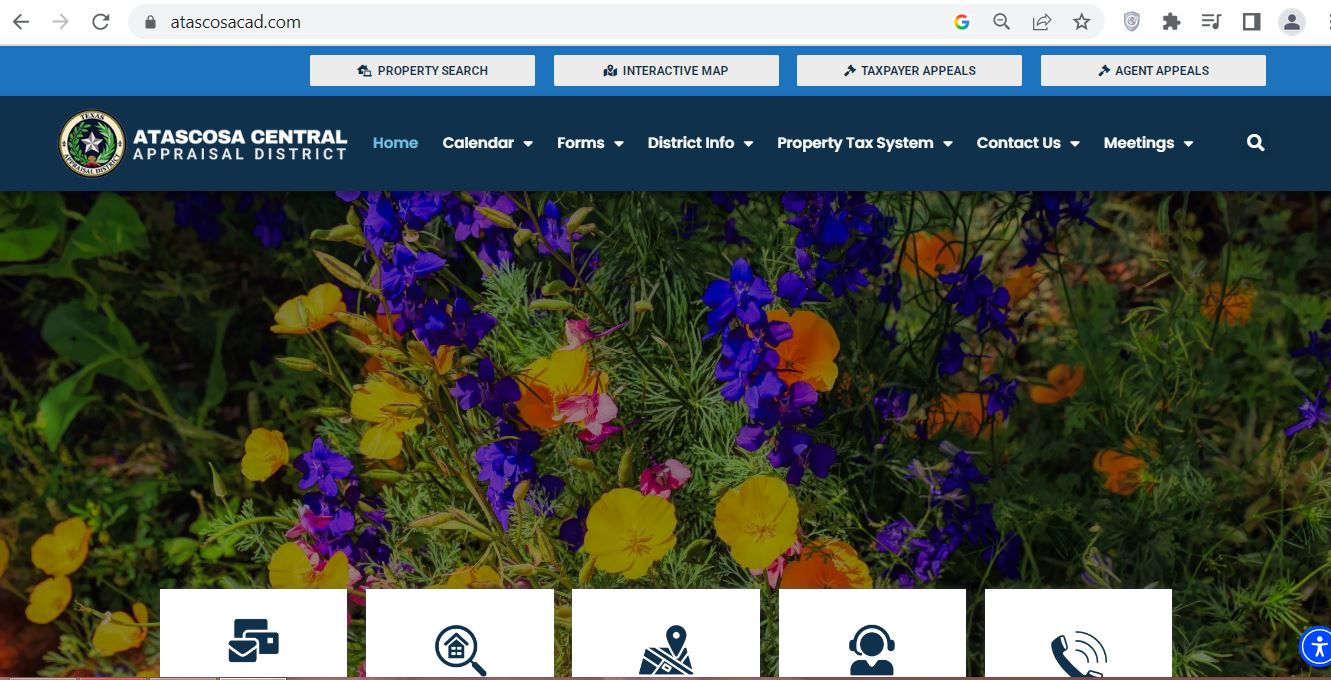
Atascosa County CAD screenshot reference
This image is included as a visual reference for the Atascosa County CAD topic. Do not rely on the image for live values, tax balances, deadlines or account status. Use the official property search, forms, appeals and tax office links below for final action.
Official Atascosa CAD details users usually need
Atascosa Central Appraisal District states that it is responsible for appraising all real and business personal property within Atascosa County. It appraises property according to the Texas Property Tax Code and the Uniform Standards of Professional Appraisal Practices.
| Detail | Official information | How it helps the user |
|---|---|---|
| Main CAD duty | Appraises all real and business personal property within Atascosa County. | Use CAD for appraisal value, exemption, rendition, ag valuation, mobile-home and protest questions. |
| Office address | 1020 Bensdale Rd. Ste. A, Pleasanton, Texas 78064. | Use for in-person appraisal district visits and map directions. |
| Mailing address | P.O. Box 600, Pleasanton, Texas 78064. | Use for mailed CAD documents when official instructions allow mailing. |
| ACAD@atascosacad.com. | Use for written follow-up, document questions or account clarification. | |
| Taxpayer Liaison | Elizabeth Oliva, Liz.Oliva@atascosacad.com. | Use for public access help, appraisal-process information, protest-process information, ARB comments or complaints and non-protest disputes. |
How to use Atascosa CAD property search correctly
The Atascosa CAD property search is stronger than a simple owner lookup. It includes By Owner, By Address, By ID, ARB Search and Advanced search. Advanced search includes fields such as property ID, property type, agent ID, protest status, informal date, doing business as, street name, subdivision, condo, owner ID, geographic ID, tax year, neighborhood, hearing date, board members and formal date.
Atascosa CAD search troubleshooting
If a record does not appear, the issue is usually formatting, rural road wording, owner-name variation, mobile-home setup, business name, mineral account, or using the tax search when you meant appraisal search.
| Search problem | Likely reason | Better search method |
|---|---|---|
| Owner search fails | Name may be under spouse, trust, estate, business, prior owner or abbreviated record. | Try last name only, first name only, owner ID, DBA, property ID or address. |
| Address search fails | Street suffix, direction, rural road or city field may not match the database exactly. | Use only the street name and remove Road, Rd, Street, St, Drive, Hwy, unit and direction words. |
| Mobile home is hard to find | The account may be listed under Mobile Home or a mobile home park field. | Use property type Mobile Home, mobile home park list, owner name or property ID. |
| Business account does not show | Business personal property may be under DBA, owner name, personal property type or street name. | Use property type Personal, DBA, owner name, street name and property ID variations. |
| Value and tax amount do not match | CAD appraised value, taxable value, tax rates and tax office payment status are different parts of the system. | Use CAD for appraisal value and Atascosa Tax Property Search for tax payment or receipt details. |
Atascosa Tax Property Search: when to use the tax office system
The Atascosa Tax Property Search is for tax-payment research. It has By Owner, By Address, By ID and Advanced search tabs, and includes owner name, street number, abstract, mobile home park, property ID, property type, DBA, owner ID, geographic ID, tax year and other filters.
| Tax search option | When to use it | Before you pay |
|---|---|---|
| Owner | When you know the taxpayer or owner name. | Confirm property ID, situs address, legal description and tax year. |
| Address | When you know the property location. | Use a simple street-name search if exact address fails. |
| ID | Best when you have the property ID or account reference. | Check every digit before submitting payment. |
| Advanced | When owner/address search is too broad. | Use property type, geographic ID, neighborhood or tax year to narrow results. |
Atascosa CAD forms: choose the correct form before filing
Atascosa CAD provides state forms and in-house CAD forms. The in-house forms include agricultural supplements and a request to combine or split properties. The state forms page includes protest, confidentiality, rendition, evidence, electronic delivery and many exemption or special inventory forms.
| User situation | Official form area to check | Practical filing tip |
|---|---|---|
| Owner-occupied home | Residence homestead exemption and Spanish homestead application if needed. | Confirm ID, ownership, occupancy, property ID and mailing details before filing. |
| Agricultural, exotic breeder or horse breeder property | Agricultural Application Supplement, Ag Supplement A-Exotic Breeders, Ag Supplement B-Horse Breeders and Agricultural Valuation Information Handout. | Keep stocking, breeding, grazing, production, pasture, fencing, lease and land-use history records. |
| Combine or split property accounts | Request to Combine or Split Properties. | Attach clear legal descriptions, survey/plat information and owner contact details. |
| Value protest or ARB evidence | Notice of Protest, Notice of Protest Spanish, Affidavit for Protest Hearing Evidence and Taxpayer Assistance Pamphlet. | File before the deadline and organize evidence before the ARB hearing date. |
| Business personal property | General Rendition of Personal Property, Non-Income Producing Rendition, Aircraft Rendition and inventory forms. | Prepare asset list, original cost, acquisition date, disposal records, location and business name. |
| Disaster, solar, wind or special exemption | Temporary Exemption for Property Damaged by Disaster, Solar/Wind Energy Device, charitable, cemetery, historical and other exemption forms. | Attach eligibility proof, damage photos, repair estimates or organization documents as required by the form. |
2026 Atascosa County property tax dates to watch
Atascosa CAD’s calendar follows the Texas property tax deadline system. Always use your own notice deadline if it is different or more specific.
| Period | What usually happens | User action |
|---|---|---|
| April 15 | Last day to file renditions and property reports on most property types, unless written extension applies. | Business owners should prepare asset and BPP records early. |
| April 30 | Many exemption applications and special appraisal applications are due. | Review homestead, ag, timber, special appraisal, separate listing and related filings before the last week. |
| May 1 | Notices for properties other than single-family residence homesteads may be mailed by this date or soon after. | Check online records and mail if you own land, business property or non-homestead property. |
| May 15 | Last day for many protests or 30 days after notice delivery, whichever is later. Also the extended rendition deadline when written extension was requested. | Do not wait for the tax bill if your issue is appraisal value. File protest before the protest deadline. |
| July 20-25 | ARB approval and appraisal roll certification steps occur around this period. | After certification, values move closer to tax-rate and tax-bill stages. |
| October 1 | Tax assessor may mail tax bills for the year or soon after. | Use the tax office system for bill, receipt and payment questions. |
Taxpayer Liaison: when this contact helps
Atascosa CAD’s Taxpayer Liaison role is useful when you need help understanding public access functions, appraisal process information, protest procedure information, ARB comments or complaints, limited binding arbitration information, or a dispute that is not itself a protest matter.
Local Atascosa County insider tips
Atascosa County property can involve Pleasanton, Jourdanton, Poteet, Lytle-area, Charlotte-area, rural ranch land, mobile homes, mineral accounts, business personal property and agricultural-use issues. A useful value review should compare the same property type in a similar local market.
- Compare similar city, subdivision, age, size and condition.
- Separate land value from improvement value.
- Use dated photos and repair estimates for roof, foundation, flood, drainage or condition issues.
- Use stocking records, lease records, grazing history, pasture photos and fencing/water documentation.
- Check the 2026 1-d-1 productivity schedule and agricultural valuation handout.
- Do not compare operating ranch land with small residential lots.
- Use the correct property type filter before comparing accounts.
- Try mobile home park, DBA, owner ID or geographic ID when normal search fails.
- Business owners should keep renditions, asset lists and acquisition cost records.
Atascosa County Tax Assessor-Collector details
Use the Atascosa County Tax Office for tax payments, receipts, beer and wine permits, vehicle titles and registrations. The county tax office is separate from the appraisal district’s value and exemption work.
| Tax office detail | Official information | Use it for |
|---|---|---|
| Tax Assessor-Collector | Loretta Holley, PCC, CTOP, PCAC. | County tax office identity, property tax payment questions and vehicle-related tax office services. |
| Jourdanton office | 1001 Oak St., Jourdanton, TX 78026. | Main tax office visits and property tax/vehicle service questions. |
| Phone / fax | 830-769-3142 or 830-769-3842 / fax 830-769-2115. | Payment status, tax office questions and service clarification. |
| Jourdanton lobby | Lobby 9:00 AM-5:00 PM. | In-person tax office service. |
| Jourdanton drive-thru | 8:00 AM-4:30 PM for quick vehicle registration and tax payments only. | Quick registration renewals and tax payments; no title work. |
| Lytle office | 1567 FM 3175, Lytle, TX 78052; Monday and Wednesday only, 8:00 AM-4:30 PM, closed 12:00-1:00 for lunch. | Branch office help where available; confirm before visiting. |
| Drop box | Front-porch drop box; receipts or registration stickers are mailed; no titles in drop box. | Drop-off convenience when title work is not required. |
Documents to keep ready
- Owner name
- Property address
- Property ID
- Geographic ID
- Mobile home park, DBA or property type if needed
- Notice of Appraised Value
- Property ID and tax year
- Comparable sales or repair estimates
- Photos, surveys, leases or production records
- Submission confirmation
- Tax statement
- Owner name
- Property ID or account details
- Correct tax year
- Receipt or payment confirmation
Atascosa CAD office map
Use this map for directions to Atascosa Central Appraisal District in Pleasanton. For deadline-sensitive tasks, call before visiting and bring property ID, owner name, notice letter, form packet and supporting documents.
Official action links
Use these official links only after you know your task. Each link below has a specific purpose.
Related Texas CAD guides
These internal guides help users compare similar Texas appraisal district search, protest, forms and tax office workflows.
Atascosa County CAD FAQs
What is Atascosa County CAD?
Atascosa County CAD is the common search name for Atascosa Central Appraisal District, the office responsible for appraising real and business personal property in Atascosa County, Texas.
How do I search Atascosa County CAD by owner?
Open the official Atascosa CAD property search, choose By Owner, and enter the owner name. If the full name does not work, try only the first or last name.
How do I search Atascosa County CAD by address?
Open the official property search, choose By Address, and start with only the street name. Remove suffixes, directions or unit numbers if results do not appear.
What property types can I search on Atascosa CAD?
The Atascosa CAD search page includes property type options for Real, Personal, Mineral, Auto and Mobile Home. Choose the correct type before comparing values.
Who is the Atascosa CAD Chief Appraiser?
The official Atascosa CAD website lists Brandi Royal, RPA, RTA, CTA, CCA, as Chief Appraiser.
What is the Atascosa CAD phone number?
The Atascosa Central Appraisal District phone number is 830-569-8326.
Where is Atascosa Central Appraisal District located?
Atascosa Central Appraisal District is located at 1020 Bensdale Rd. Ste. A, Pleasanton, Texas 78064.
What is the usual Atascosa County protest deadline?
Atascosa CAD states written notices of protest are due no later than May 15 or the 30th day after the notice to the property owner was delivered.
Where do I pay Atascosa County property taxes?
Use the Atascosa County Tax Office website or Atascosa Tax Property Search for tax payment and receipt questions. For online payment, the county page says to click the red Pay Property Taxes Online ribbon and choose Atascosa Tax.
Are Atascosa CAD records legal deed records?
No. Atascosa CAD records are appraisal records. For deed, title or recorded document proof, use official county records or the correct county office.
Independent guide disclaimer
County-CAD.org is an independent informational guide. It is not Atascosa Central Appraisal District, Atascosa County Tax Assessor-Collector or Atascosa County Government. Official values, forms, deadlines, tax rates, office procedures, payment status and links can change. Confirm directly with the correct official office before filing, paying, mailing documents or visiting.
Last editorial check: July 7, 2026. Official details were reviewed from Atascosa CAD, Atascosa CAD property search, Atascosa CAD forms, Atascosa CAD calendar, Atascosa CAD taxpayer liaison, Atascosa Tax Property Search, Atascosa County Tax Office and Texas Comptroller resources.