
Bexar County CAD property search, appraisal value, exemptions and protest guide
Bexar County property owners usually visit BCAD when they need one of four answers: what their property is worth, whether their exemption is showing, how to file a protest, or where to find the correct tax-payment office. This guide explains how to use the official Bexar Central Appraisal District property search, what to verify on your record, how to read your appraisal notice, and how to prepare a stronger 2026 protest with useful evidence instead of generic screenshots.
Quick navigation for Bexar County property owners
How to use Bexar County CAD property search correctly
The official BCAD property search supports owner name, street number, street name, property ID, geographic ID, subdivision, condo, mobile home park and other advanced search fields. For most homeowners, the easiest route is the property ID from an appraisal notice, prior tax record or earlier BCAD search.
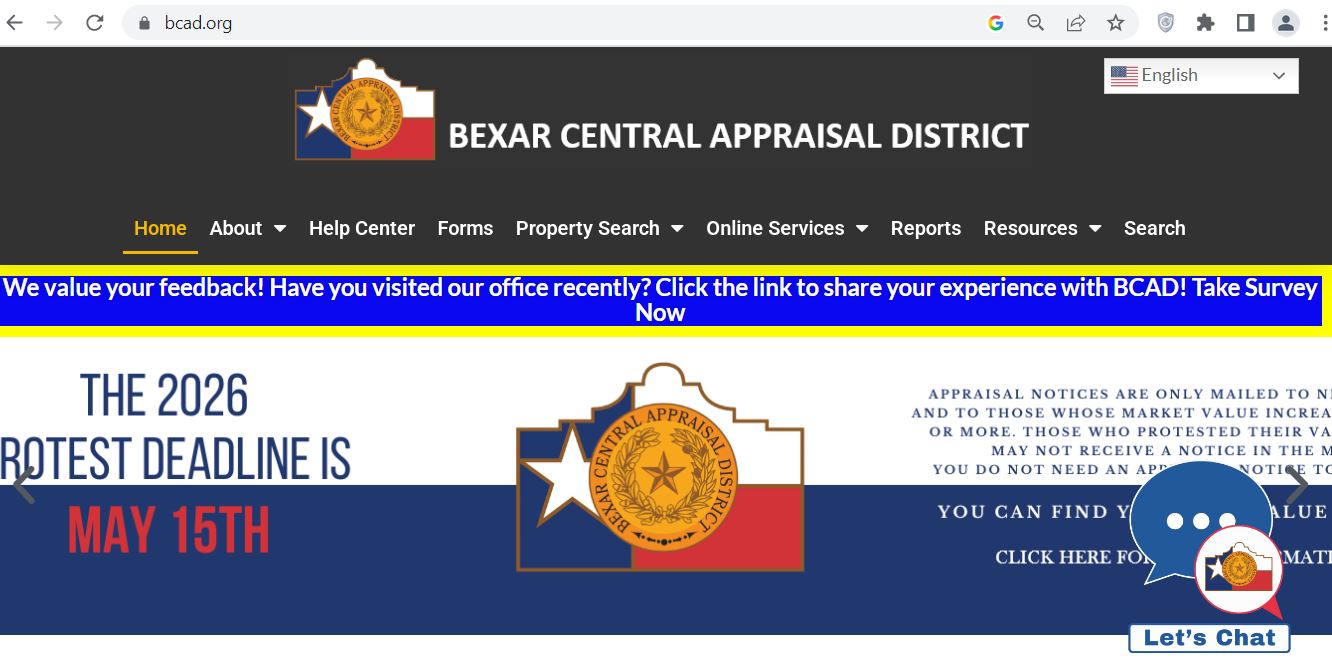
Bexar County CAD official website screenshot guide
The screenshot below is included so readers can visually recognise the Bexar County CAD topic and the kind of official-property-search page they should use. Use it for orientation only. Current values, exemptions, protest status and account-specific details must be verified on the live BCAD website.
What each Bexar CAD property record field means
A BCAD record is not only a property-value page. It is a working appraisal record used for property identification, value notices, exemptions, protests and tax-office coordination. Read it like a checklist before taking action.
| Record field | What it means | What to verify |
|---|---|---|
| Property ID | Unique BCAD identifier for the property account | Use this for search, protest, online services, exemption questions and tax-office lookup. |
| Owner name | Owner shown on the appraisal record | Recent sales may take time to update. Compare with closing documents or recorded deed details. |
| Property address | Physical situs address of the property | Check street number, unit, ZIP code, subdivision and legal description. |
| Geographic ID | Location-based identifier used in the appraisal system | Helpful when matching property records, maps and tax-office account details. |
| Market value | BCAD’s opinion of market value for the appraisal year | Compare against similar local sales, condition, neighborhood and property features. |
| Appraised value | Value after applicable appraisal limits may be considered | For homestead property, appraised value may be different from market value because of appraisal caps. |
| Land value | Value assigned to the land portion | Review lot size, location influence, corner lot, flood concern, access and subdivision impact. |
| Improvement value | Value assigned to structures such as house, building, pool, garage or other improvements | Check square footage, year built, quality, condition, additions, pool and major damage. |
| Exemptions | Homestead, over-65, disability, disabled veteran or other exemption status where applicable | Missing exemptions can affect taxes more than a small value protest. Check this early. |
Official BCAD tools and when to use each one
Bexar CAD gives property owners several official routes. Use the property search for account details, the online services portal for filings and appeals, the Help Center for step-by-step support, and the Tax Office only for payment-related matters.
| Official tool | Best use | Helpful practical note |
|---|---|---|
| BCAD Property Search | Find owner, address, property ID, value, exemptions and record details | Start here before calling because staff can help faster when you have the property ID. |
| BCAD Online Services Portal | Online appeals, notices, exemption filing and owner/agent services | For protest filing, you may need Owner ID and PIN from your Notice of Appraised Value. |
| BCAD Help Center | Step-by-step questions about protest, exemptions, notices and online services | Use it before calling if you need instructions, document guidance or filing steps. |
| Forms | Exemptions, protest-related documents, renditions and other appraisal forms | Always download current forms from BCAD or Texas Comptroller sources. |
| Bexar County Tax Office | Property tax bills, payments, balances, receipts and refund searches | Use this only after you need payment or tax-collection details, not appraisal changes. |
Bexar County homestead exemption check before filing a protest
Before you protest your 2026 value, check whether your exemption status is correct. A missing homestead exemption, over-65 exemption, disability exemption or disabled veteran exemption can have a larger long-term effect than a small appraisal-value change.
How to file a Bexar County CAD appraisal protest online
A strong protest focuses on appraisal value, unequal appraisal, incorrect property details, denied exemption or other appraisal-related issues. It should not simply say that taxes are too high. BCAD appraises property; tax rates and final bills involve taxing units and the Tax Office.
Evidence that actually helps in a Bexar CAD protest
BCAD and the Appraisal Review Board need useful evidence. A random value estimate or general complaint is weaker than proof that directly explains why your property’s market value or appraisal treatment is wrong.
- Recent comparable sales from similar nearby homes
- Photos of damage or poor condition
- Contractor estimates for roof, foundation, HVAC or major repairs
- Closing statement if the purchase was recent
- Independent appraisal or detailed market analysis
- Wrong square footage
- Incorrect year built
- Wrong property class
- Incorrect pool, garage or addition
- Land-size or location-influence problem
- Only saying “my tax is too high”
- Unrelated online estimates
- Comps from a different neighborhood or property type
- Old sales from a different market period
- Photos without explanation, address or date
Bexar CAD appraisal record vs Bexar County property tax bill
This is where many property owners get confused. BCAD determines the appraisal value and maintains records. The Bexar County Tax Assessor-Collector handles tax statements, collections, payment status and receipts.
| User need | Correct official source | What to do there |
|---|---|---|
| Find property value | Bexar Central Appraisal District | Search market value, appraised value, property details, exemptions and appraisal record. |
| File protest | BCAD Online Services / Help Center | Use Owner ID/PIN, protest forms, online portal and official instructions. |
| Apply for exemption | BCAD | Use homestead/exemption guidance and submit required documentation. |
| Pay property tax | Bexar County Tax Assessor-Collector | Search tax account, pay online, view receipts and check balances. |
| Recorded deed or official document | Bexar County Clerk records | Search deeds, recorded instruments and land records separately from appraisal data. |
Buyer, homeowner, investor and agent tips for Bexar County property records
BCAD data is useful, but it should not be treated as a full title search, inspection report or tax payoff. Use it together with tax-office records, deed records, seller documents, inspection reports and lender/title-company guidance.
- Check value and exemptions every year
- Save your property ID and notice details
- Review land and improvement values separately
- File protest before the deadline if value looks wrong
- Keep proof of exemption submissions
- Compare CAD value with contract price
- Check whether homestead may change after sale
- Verify taxes separately through Tax Office
- Review ownership and legal description
- Ask title/agent about pending protests or exemptions
- Use property ID in client notes
- Compare CAD facts with MLS and inspection data
- Review area comps carefully
- Use county records for deeds
- Never rely only on third-party estimates
Common Bexar County CAD mistakes to avoid
Most user problems come from using the wrong office, missing the protest deadline, ignoring exemptions or submitting weak protest evidence. Use this checklist before you file, pay, call or visit.
| Mistake | Why it hurts | Better action |
|---|---|---|
| Trying to pay taxes on BCAD | BCAD does not accept property tax payments. | Use Bexar County Tax Assessor-Collector payment resources. |
| Searching only by owner name | Similar names and mailing addresses can return wrong records. | Use property ID, geographic ID or simplified address search. |
| Ignoring the PIN and Owner ID | Online protest access may require credentials from the notice. | Keep the Notice of Appraised Value and check prior-year notices if needed. |
| Filing protest without evidence | A protest with no facts is harder to win. | Upload comparable sales, condition photos, repair estimates and record-error proof. |
| Assuming exemption transferred | New owners may need to file their own exemption correctly. | Check BCAD exemption status after ownership updates. |
Bexar Central Appraisal District contact details
Use BCAD contact details for appraisal, property-record, exemption and protest questions. For payment questions, contact the Bexar County Tax Assessor-Collector instead.
| Contact item | Official detail | Best use |
|---|---|---|
| Office name | Bexar Central Appraisal District | Use for property appraisal, exemption and protest-related matters. |
| Physical address | 411 N. Frio St., San Antonio, TX 78207 | Use for map directions, in-person visit planning and document drop-off where allowed. |
| Mailing address | P.O. Box 830248, San Antonio, TX 78283 | Use for mailed forms, mailed protests or mailed documents when official instructions allow. |
| Customer service | 210-242-2432 | Use for property questions, online-services help and general routing. |
| Office hours | Monday–Friday, 8:00 AM–5:00 PM | Call or visit during business hours; confirm holidays before travel. |
| Official Help Center | BCAD Help Center | Use for support articles, protest instructions, exemption questions and online-service help. |
Bexar CAD office map and visit planning
The BCAD office is located on North Frio Street in San Antonio. If your matter is deadline-sensitive, call or check the Help Center first so you know whether to use the online portal, mail, Help Center, drop-off or in-person visit.
Helpful BCAD online services and protest video resources
BCAD’s Online Services Portal references step-by-step help videos for portal registration, filing a protest online and other services. Use the official video library when you need visual help with the portal or protest process.
Official Bexar County CAD resources used in this guide
Use these official resources for final confirmation before searching, filing, protesting, applying for exemptions, paying taxes or visiting an office.
Bexar Central Appraisal District official website Official BCAD property search BCAD Online Services Portal BCAD online portal information BCAD Help Center How to file a property tax protest online Homestead exemption: how to apply BCAD contact and location information BCAD video library Bexar County property tax information Bexar County property tax search and paymentBexar County CAD property search FAQs
What is the official Bexar County CAD property search website?
The official Bexar County CAD property search is available through Bexar Central Appraisal District at esearch.bcad.org. Users can search by owner, address, property ID, geographic ID and other advanced fields.
Is Bexar County CAD the same as Bexar Central Appraisal District?
Yes. Bexar County CAD is the common search phrase, while the official office name is Bexar Central Appraisal District. It is also commonly called Bexar CAD or BCAD.
What is the Bexar CAD phone number?
The main BCAD customer service phone number is 210-242-2432. Use it for appraisal, property-record, exemption, protest and online-services questions.
Where is Bexar Central Appraisal District located?
Bexar Central Appraisal District is located at 411 N. Frio St., San Antonio, Texas 78207. The mailing address is P.O. Box 830248, San Antonio, Texas 78283.
How do I search Bexar County property by address?
Open the official BCAD property search and enter the street number and street name. If the full address does not work, simplify the search and confirm the correct property by property ID, owner and legal description.
Can I search Bexar CAD records by owner name?
Yes. BCAD property search supports owner-name search. If several similar records appear, confirm the property ID, situs address, geographic ID and legal description before relying on the result.
How do I file a Bexar County CAD protest online?
Use the BCAD Online Services Portal. You may need the Owner ID and PIN from your Notice of Appraised Value. Follow the official protest steps and upload useful evidence before the deadline.
Does Bexar CAD accept property tax payments?
No. BCAD does not accept property tax payments. For tax statements, payment balances, receipts and online payments, use the Bexar County Tax Assessor-Collector resources.
How do I apply for a Bexar County homestead exemption?
Use BCAD’s official exemption guidance and online services. Homeowners may need a Texas Driver License or Texas ID showing the same property address, depending on the filing route and exemption type.
What evidence helps in a Bexar County appraisal protest?
Useful evidence includes recent comparable sales, condition photos, repair estimates, independent appraisal reports, closing statements, and proof of incorrect property details such as wrong square footage, pool, garage, year built or property class.
Last editorial check: June 2026. Official information can change without notice. Verify your exact property account, protest deadline, exemption status and payment details through official Bexar County resources before acting.