
Dallas County CAD property search, appraisal records, exemptions and protest help
Use this Dallas County CAD guide to search official DCAD property records, find an account by owner, address, account number, business name or map, and understand what market value, appraised value, exemptions and protest options mean before you take action.
Start with the official Dallas Central Appraisal District website for appraisal records. Use DCAD for values, exemptions and protests, but use the correct tax office or collecting unit when your goal is to pay property taxes or download a payment receipt.
Quick answer: where to search Dallas County CAD records
The official Dallas County CAD property search is on the Dallas Central Appraisal District website. You can search by owner name, account number, street address, business name or map. Once you open the account, check the property address, account number, legal description, market value, appraised value, exemption status and available protest/exemption links.
DCAD is the appraisal office. It does not replace the tax office, county clerk, mortgage company or title company. Use DCAD for appraisal value and exemption questions; use the appropriate tax collection office for tax payment, and use county records resources for deeds and recorded documents.
Quick navigation for Dallas County property owners
Dallas County CAD screenshot guide
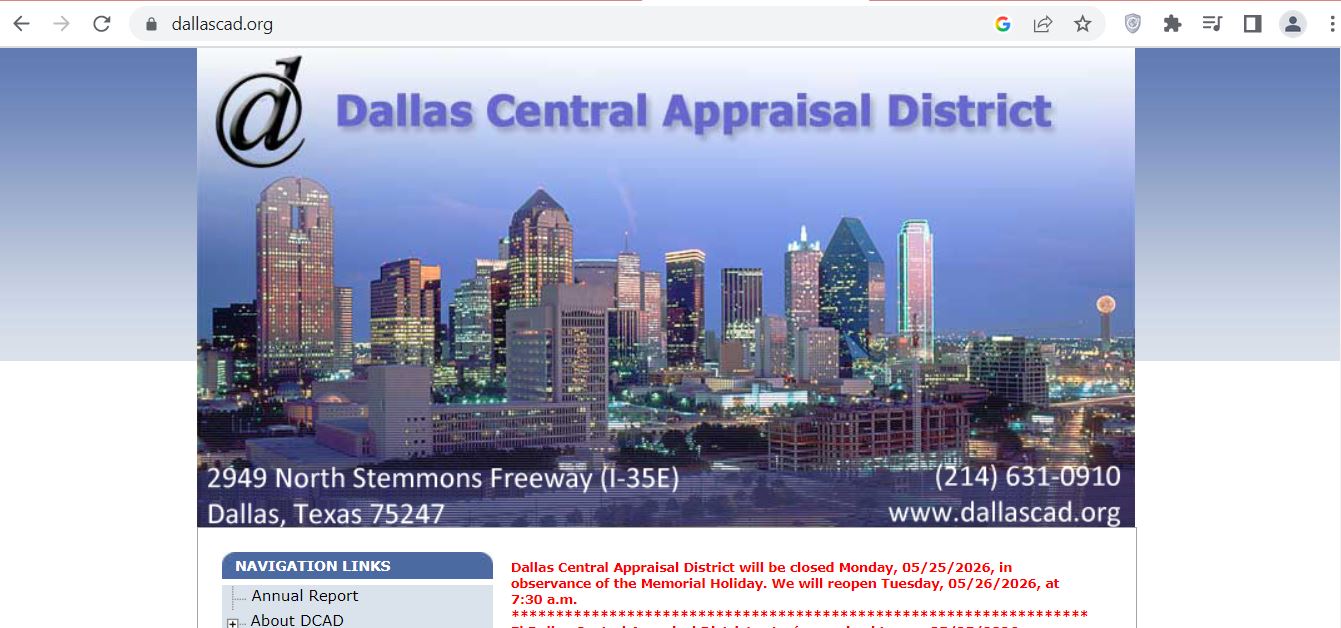
The screenshot below helps users recognise the Dallas County CAD topic and the kind of official appraisal search page they should use. Use the image for visual guidance only; live values, exemptions, notices and deadlines should always be checked on the official DCAD website.
How to use Dallas County CAD property search step by step
DCAD gives multiple ways to find a property. If you have the account number, that is usually the cleanest search. If not, use address search or owner-name search, then confirm the correct record before relying on any value or exemption detail.
What Dallas CAD property record fields mean
A DCAD account page is more useful when you understand the difference between appraisal data, tax data and legal ownership documents. Read the record like a checklist before filing a protest or contacting the office.
| Record field | What it usually means | How to use it |
|---|---|---|
| Account number | Unique DCAD property account reference | Use this for accurate search, exemption questions, protest filing and phone support. |
| Owner name | Owner shown in appraisal records | Recent purchases may take time to update. Use deed records or closing documents for title confirmation. |
| Property address | Situs address used for appraisal purposes | Confirm city, unit, suite and street details, especially in large apartment, condo and commercial areas. |
| Market value | DCAD’s opinion of the property’s market value | Compare it with similar sales, condition, size, location and property characteristics. |
| Appraised value | Value after appraisal limitations may apply | For homestead properties, this may differ from market value because of Texas appraisal limitation rules. |
| Land value | Value assigned to the land portion | Review lot size, location, frontage, land use and neighborhood influence. |
| Improvement value | Value assigned to structures or improvements | Check square footage, year built, condition, remodel, pool, garage and other building data. |
| Exemption status | Homestead, over-65, disabled person, disabled veteran or other exemption status | Missing exemptions can affect taxes significantly. Verify before focusing only on protest. |
Official Dallas CAD tools you should use first
DCAD has several official tools and pages. Using the right one saves time and reduces mistakes, especially during appraisal notice and protest season.
| Official tool | Best for | Practical tip |
|---|---|---|
| Owner search | Finding records when you know the owner name | Common names can return many results. Verify address and account carefully. |
| Account search | Fastest exact lookup when you have the account number | Account number is best for protest, exemption and support questions. |
| Address search | Homeowners, buyers and agents checking a property address | Do not over-type street type words; try less information if results fail. |
| Business-name search | Business personal property accounts | Useful for business owners checking BPP value or rendition-related data. |
| Map search | Parcel location, nearby accounts and visual property context | Use map view for orientation, not as a legal survey. |
Dallas County homestead exemption and other DCAD exemptions
Before filing a protest, check your exemption status. A missing residence homestead exemption, over-65 exemption, disabled person exemption or disabled veteran exemption can create a larger long-term issue than a small value dispute.
Dallas County CAD protest guide: what to do before filing
A strong DCAD protest is clear, specific and supported by evidence. The protest should explain why the market value is too high, why the property is unequally appraised, why the property details are wrong or why an exemption/agricultural issue should be reviewed.
Evidence checklist for a Dallas CAD appraisal protest
Good evidence should be dated, property-specific and easy to understand. Do not submit a pile of random screenshots without explaining what each document proves.
- Recent comparable sales near the property
- Photos showing roof, foundation, flooding or repair issues
- Contractor repair estimates
- Closing statement or recent purchase price
- Independent appraisal or agent market analysis
- Wrong square footage
- Incorrect year built or condition
- Incorrect pool, garage, addition or structure data
- Wrong property class
- Incorrect owner or mailing record issue
- “My taxes are too high” only
- Unrelated Zillow estimates
- Comps from a different neighborhood
- Old sales from a different market
- Photos without address, date or explanation
Dallas CAD vs tax office vs county clerk: which one do you need?
Many users waste time because they contact the wrong office. Use this table to decide where to go next.
| User needs | Correct place | What to do |
|---|---|---|
| Search appraisal value or property account | Dallas Central Appraisal District | Use DCAD property search by owner, account, address, business or map. |
| Apply for homestead or check exemptions | Dallas Central Appraisal District | Use DCAD exemption resources or account detail forms. |
| File an appraisal protest | Dallas Central Appraisal District / ARB process | Use uFile or official protest instructions from DCAD. |
| Pay property taxes or get receipt | Applicable tax office or collecting unit | Use the correct tax statement/payment resource linked from official sources. |
| Search deed, lien or recorded document | Dallas County Clerk / official records | Use county records resources; DCAD is not a legal title search. |
Local insider tips for Dallas County property owners
Dallas County is not one simple market. Appraisal results can vary by city, subdivision, school district, age of property, redevelopment pressure and commercial influence.
- Compare properties within the same neighborhood when possible
- Watch for remodel assumptions that do not match actual condition
- Check land value separately in fast-changing areas
- City boundaries can matter for tax units and comparisons
- Use similar school district and subdivision comps where possible
- Check homestead status after buying a home
- Track rendition deadlines and account details carefully
- Use business personal property contact routes when needed
- Separate real property from business personal property records
Common Dallas CAD mistakes to avoid
Small mistakes can cost time during protest season. Check these before filing, calling or paying.
| Mistake | Why it hurts | Better action |
|---|---|---|
| Calling DCAD for tax payment receipt | DCAD is the appraisal district, not the tax collector. | Use the correct tax office or collecting unit for payments and receipts. |
| Searching with too much address text | Street types and abbreviations can block results. | Use address number and core street name first. |
| Ignoring exemption status | Missing exemptions can have long-term impact. | Check exemptions before focusing only on protest. |
| Filing protest without evidence | ARB and appraisers need documents, not only opinions. | Prepare comps, photos, repair estimates and record-error proof. |
| Using DCAD as a title search | Appraisal records are informational and not legal title documents. | Use official county records or title resources for deeds and liens. |
Documents and details to keep ready
Before you call DCAD, file a protest, apply for an exemption or compare values, keep these items ready.
Dallas Central Appraisal District contact details
| Contact item | Official detail | Use this for |
|---|---|---|
| Office | Dallas Central Appraisal District | Appraisal value, exemptions, property records, protest and mapping questions. |
| Address | 2949 North Stemmons Freeway, Dallas, TX 75247 | Office visit, document drop-off and map directions. |
| Customer service | 214-631-0910 | Property records, exemptions and general support. |
| Main switchboard | 214-631-0520 | General routing to DCAD departments. |
| Official contact page | DCAD contact page | Current department numbers, seasonal protest numbers and request links. |
Dallas County CAD office map
Use this map for planning a visit to the DCAD office on North Stemmons Freeway. If you are going for a deadline-sensitive protest, exemption issue or document submission, check the official contact page before travel.
Helpful Dallas County property tax protest video
The video below is included as supporting educational content for users preparing for a Dallas County appraisal protest. Use it for general preparation, then verify your account-specific protest deadline, uFile access, evidence upload rules and hearing status on DCAD’s official website.
Official Dallas County CAD resources
Use these official pages for final confirmation before filing a protest, applying for exemptions, checking values, using the map or visiting DCAD.
Dallas Central Appraisal District official website Official DCAD owner-name search Official DCAD account-number search Official DCAD street-address search Official DCAD property map search Official DCAD exemptions page Official DCAD contact page Official DCAD paying taxes information pageDallas County CAD property search FAQs
What is the official Dallas County CAD property search website?
The official Dallas County CAD property search is available through Dallas Central Appraisal District at dallascad.org. Users can search appraisal records by owner name, account number, street address, business name or map.
Is Dallas County CAD the same as DCAD?
Yes. Dallas County CAD is a common search phrase, while the official name is Dallas Central Appraisal District. DCAD handles appraisal records, exemptions, property values and protest-related appraisal matters.
How do I search Dallas County property records by address?
Open the official DCAD street address search, enter the address number and street name, and avoid unnecessary street type words like Street, Drive or Lane if the search does not work.
Can I search Dallas CAD records by owner name?
Yes. DCAD has owner-name search, but common names can return multiple results. Always confirm the property address, account number and legal description before relying on the record.
What is the Dallas Central Appraisal District phone number?
DCAD lists customer service at 214-631-0910 and the main switchboard at 214-631-0520. The contact page may also show seasonal protest phone numbers during protest season.
Where is the Dallas CAD office located?
Dallas Central Appraisal District is located at 2949 North Stemmons Freeway, Dallas, TX 75247. Check the official contact page before visiting for current lobby hours or special notices.
How do I file a Dallas County CAD protest online?
Search your property account on the official DCAD website and select the uFile Online Protest link from the account detail screen when available. Use the PIN and instructions from your appraisal notice or DCAD account guidance.
What evidence helps in a Dallas County appraisal protest?
Helpful evidence includes comparable sales, property-condition photos, repair estimates, closing statements, independent appraisals, proof of wrong square footage and documents showing incorrect property data.
Does Dallas CAD collect property taxes?
No. Dallas Central Appraisal District appraises property and handles appraisal-related records. Tax bills, payments and receipts are handled by the applicable tax office or collecting unit.
Where do I apply for a Dallas County homestead exemption?
Use the official DCAD exemption resources or search your property account on the DCAD website. The account detail page may provide links to print or access exemption forms.
Last editorial check: June 2026. Official details, deadlines, contact numbers, forms and account information can change without notice; confirm directly with DCAD or the relevant official office before filing, paying, appealing or visiting.