
Tyler County CAD Property Search, Appraisal Value, Exemptions and Tax Payment Help
Use this guide to search Tyler County property records, check appraisal values, find forms, use the online portal, review exemptions, and find the correct tax payment page.
This guide is for Tyler County, Texas, with the CAD office in Woodville. It is not for Smith County or the City of Tyler.
Quick Answer
Tyler County CAD is used for appraisal records, owner lookup, address lookup, property ID search, exemptions, renditions, map downloads and protest questions.
Use Tyler County Tax Office for tax bills, payment status, receipts, amount due and tax-office questions.
Jump to the Right Section
Tyler County CAD Image Guide
This image is only a visual guide. Do not use it for live values, tax balance, protest status or payment confirmation.
How to Search Tyler County CAD Property Records
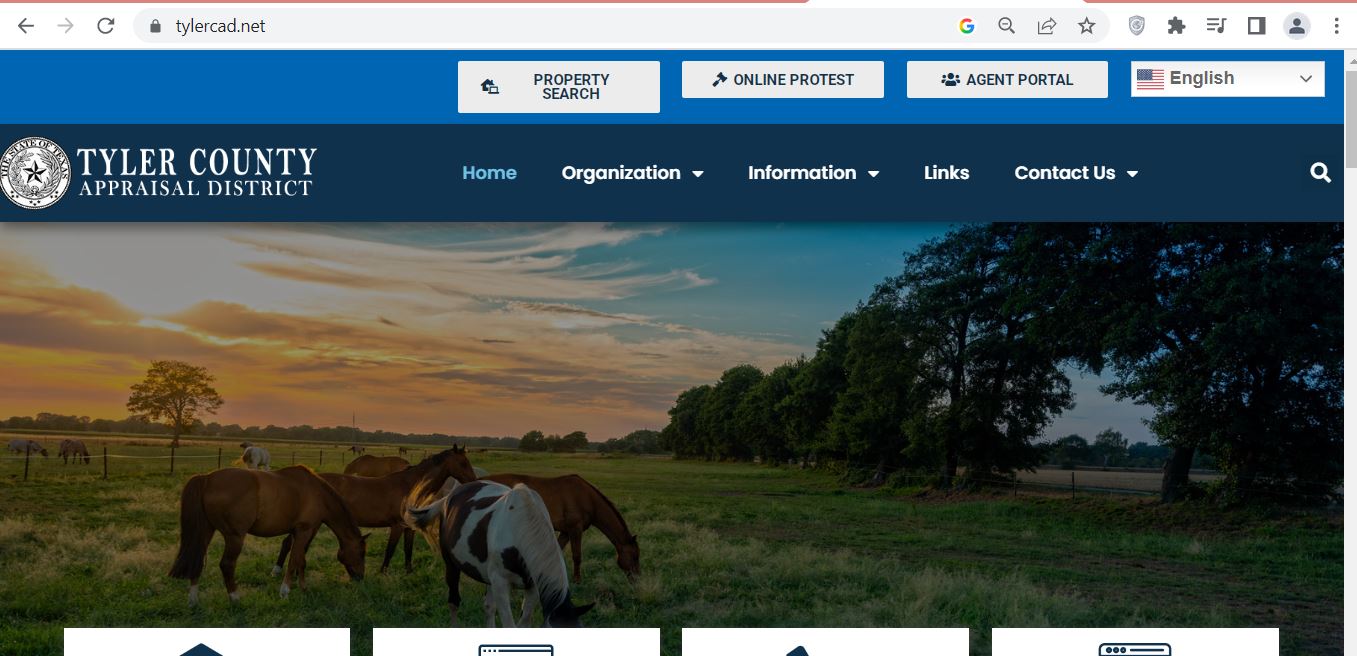
Open the official Tyler CAD property search. You can search by owner, address, property ID, ARB search or advanced search.
Start with a simple search. If the full name or full address does not work, use fewer words.
Tyler CAD Search Tips
The official search page includes Real, Personal, Mineral, Auto and Mobile Home property types.
So, choose the right type before you compare values. A mineral account or mobile home account should not be reviewed like a normal homestead account.
| Search Problem | Simple Fix | Why It Helps |
|---|---|---|
| Owner name does not work | Use only first name or last name. | The record may use a shorter name format. |
| Address does not work | Use only the street name. | Street suffix or direction may be different in the record. |
| Too many results show | Use Advanced Search. | You can narrow by ID, owner, street, property type or tax year. |
| Need amount due | Use Tyler County Tax Office search. | CAD search is for appraisal records, not final payment balance. |
Tyler CAD Office Details
Tyler County Appraisal District is located in Woodville. Use this office for appraisal value, exemption, forms, map and protest questions.
| Detail | Official Information | Use It For |
|---|---|---|
| Physical address | 806 West Bluff Street, Woodville, TX 75979 | Office visit and map direction. |
| Mailing address | P.O. Drawer 9, Woodville, TX 75979 | Mailed forms and documents. |
| Phone | 409-283-3736 | Value, exemption, map and protest questions. |
| Fax | 409-283-8439 | Faxed documents when accepted. |
| info@tylercad.net | General written questions. | |
| Hours | Monday-Friday, 8:00 AM-4:30 PM; lunch 12:00 PM-12:30 PM | Plan calls and visits. |
What Tyler CAD Handles
Tyler CAD creates appraisal records and works with exemptions, special appraisal, renditions and protest forms.
Use the tax office when your question is about payment, tax statement or amount due.
Tyler CAD Forms and Exemptions
Tyler CAD provides forms for homestead exemption, disabled veteran exemption, ag appraisal, timber appraisal, renditions, special inventory and protest.
Choose the correct form before you submit. Also keep a copy for your records.
| Need | Where to Start | Simple Tip |
|---|---|---|
| Homestead exemption | Homestead Exemption Form | Keep property ID and ID proof ready. |
| Disabled veteran exemption | Disabled Veteran’s Exemption Form | Keep VA rating or required proof ready. |
| Ag or timber land | Agricultural 1-D, Agricultural 1-D-1 or Timber forms | Keep maps, land-use records and activity proof. |
| Business property | Personal Property Rendition | List assets, cost, purchase date and business location. |
| Value protest | Notice of Protest | Use proof, not only a complaint about taxes. |
How to Prepare a Tyler County CAD Protest
If you disagree with the appraised value, prepare evidence before you file. Do not only say the tax bill is high.
A good protest explains why the value is wrong.
Where to Pay Tyler County Property Taxes
Use the Tyler County Tax Office website for tax payment and amount due. The tax search can search by account number, owner name, mailing address, owner ID, property address, appraisal district number, statement number or legal description.
If the website amount is different from your statement, call the tax office. There may be prior years due.
| Task | Correct Place | What to Check |
|---|---|---|
| Pay property taxes | Tyler County Tax Office search | Owner name, account number, tax year and amount due. |
| Search by account number | Tax Office Property Search | Use dashes in the account number. |
| Search by property location | Tax Office Property Search | Do not enter street type or direction. |
| Ask about appraisal value | Tyler CAD | Property ID and appraisal year. |
Tyler County Tax Office Details
Use the tax office for property tax payment, payment search, tax estimator and tax documents.
Local Tyler County Tips
Map Downloads and GIS Data
Tyler CAD also provides map downloads. These include parcels, roads, school districts, FEMA flood zones, oil and gas units, streams and voter precinct data.
Use map data for research. For legal boundary proof, verify with official recorded documents or a qualified survey.
Tyler CAD Office Map
Use this map for directions to Tyler County Appraisal District in Woodville.
Official Links
Related Texas CAD Guides
Tyler County CAD FAQs
What is Tyler County CAD?
Tyler County CAD is the common name for Tyler County Appraisal District. It handles property appraisal records, exemptions, forms, map downloads and protest-related work.
Where is Tyler County Appraisal District located?
Tyler County Appraisal District is located at 806 West Bluff Street, Woodville, Texas 75979.
What is the Tyler CAD phone number?
The Tyler County Appraisal District phone number is 409-283-3736.
Who is the Tyler CAD Chief Appraiser?
The Tyler CAD official website lists David Luther as Chief Appraiser.
How do I search Tyler County CAD by owner?
Open the official property search and choose Owner. If the full name does not work, try only the first name or last name.
How do I search Tyler County CAD by address?
Open the official property search and choose Address. If the full address does not work, try only the street name.
Where do I pay Tyler County property taxes?
Use the Tyler County Tax Office property search and payment website. Check the tax year, account number and amount due before payment.
Who is the Tyler County Tax Assessor-Collector?
The Tyler County Tax Office website lists Melissa Carson as Tyler County Tax Assessor-Collector.
What are the Tyler CAD office hours?
Tyler CAD is open Monday-Friday from 8:00 AM to 4:30 PM. It is closed for lunch from 12:00 PM to 12:30 PM.
Are Tyler CAD records legal deed records?
No. CAD records are appraisal records. Use official recorded documents for deed or title proof.
Independent Guide Disclaimer
County-CAD.org is an independent guide. It is not Tyler County Appraisal District, Tyler County Tax Office or Tyler County Government. Confirm all values, forms, deadlines, payment details and office procedures with the official office before filing or paying.
Last editorial check: July 8, 2026.