
Upshur County CAD 2026 Property Search & Tax Appraisal
Upshur County CAD is the common search name for Upshur County Appraisal District. Use it to search property records, owner details, appraisal values, exemptions and protest information.
This guide gives official links, search steps, tax payment direction, protest tips, exemption help, office details, map and FAQs for 2026 property owners.
Quick answer: Upshur County CAD
Upshur County CAD helps you check appraisal records in Upshur County, Texas.
You can search by owner, address, ID or advanced search. Use Upshur County Tax Office resources for bills and payments.
Upshur County CAD guide navigation
Upshur County CAD screenshot guide
This image helps users recognise the Upshur County CAD topic.
Use it as a visual guide only. Always check live values on the official CAD website.
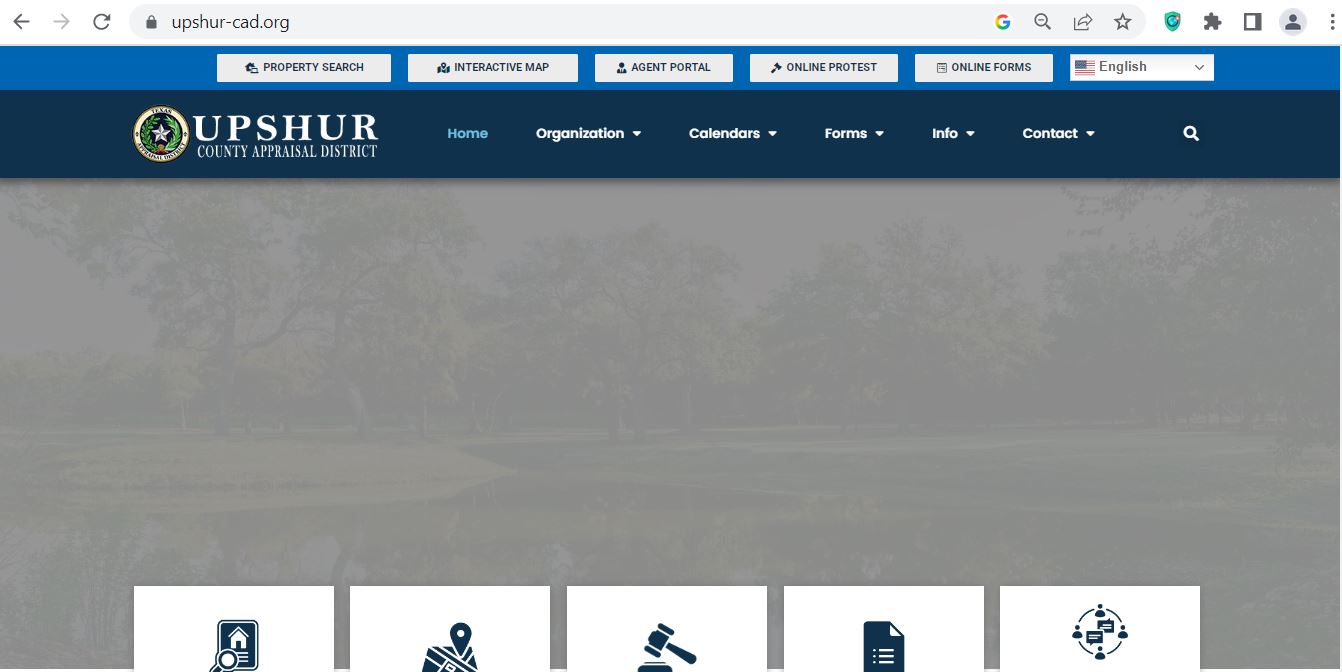
How to search Upshur County CAD property records
The official Upshur CAD property search is the best place to start.
Use simple search terms first. Then confirm the correct account before using the record.
What Upshur County CAD record fields mean
Upshur County CAD records show appraisal details. Use them before filing a protest.
| Field | Meaning | What to check |
|---|---|---|
| Property ID | Unique appraisal reference | Use it for search, protest and tax questions. |
| Owner name | Owner shown by CAD | Use County Clerk records for deed proof. |
| Property address | Property location | Confirm street, city and ZIP. |
| Market value | CAD value opinion | Compare with similar sales. |
| Appraised value | Value after limits may apply | Check if a cap or limitation applies. |
| Exemption status | Exemptions on account | Look for missing exemptions. |
Official Upshur County CAD tools
Use official tools before trusting copied information from other sites.
- Search owner records
- Check property ID
- Review value details
- Use county tax system
- Search account
- Check payment status
- Ask appraisal questions
- Check protest procedures
- Confirm exemption status
Upshur County CAD exemptions
Check exemptions early. A missing exemption can affect taxable value.
Upshur County CAD protest guide
A protest should focus on value and evidence.
Do not protest only because the tax bill is high. Tax bills also depend on rates and taxing units.
Evidence that helps in an Upshur County CAD protest
Good evidence is clear and dated. Keep it short and organised.
- Recent sales
- Dated photos
- Repair estimates
- Closing statement
- Wrong square footage
- Wrong acreage
- Wrong property class
- Wrong improvement data
- Only saying taxes are high
- Old sales
- Different locations
- Unclear screenshots
Upshur County CAD vs Tax Office vs County Clerk
Use the right office. It saves time.
| Need | Correct place | Action |
|---|---|---|
| Property value | Upshur County CAD | Use property search. |
| Exemption | Upshur County CAD | Check CAD guidance. |
| Protest | Upshur CAD / ARB | File before deadline. |
| Property tax payment | Upshur County Tax Office | Use official tax payment search. |
| Deed records | County Clerk / real property records | Search official records. |
Local Upshur County CAD tips
Upshur County has Gilmer homes, rural land, farms, timber property, commercial parcels and small communities.
Compare your property with similar property in the same area.
- Compare local homes
- Check building condition
- Review land and improvement values
- Check acreage
- Review land class
- Use map context
- Compare nearby sales
- Check property class
- Review tax office location rules
Common Upshur County CAD mistakes
Avoid these mistakes before searching, filing or paying.
| Mistake | Why it matters | Better action |
|---|---|---|
| Using CAD as deed proof | CAD records are not deeds. | Use County Clerk records. |
| Typing too much search text | Search may fail. | Use street name or property ID. |
| Missing exemptions | Taxable value may change. | Check exemptions early. |
| No protest proof | ARB needs evidence. | Prepare comps and photos. |
| Trying to pay taxes at CAD | CAD says it does not collect or levy taxes. | Use Upshur County Tax Office payment resources. |
Documents to keep ready
Keep these details ready before calling or filing.
Related Texas CAD guides
These guides help you compare search, protest and tax office steps.
- Compare CAD steps
- Understand protests
- Check payment differences
- Each county is different
- Deadlines can change
- Use official links
Upshur County CAD contact details
| Office | Official detail | Use this for |
|---|---|---|
| Upshur County Appraisal District | 105 Diamond Loch Road, Gilmer, TX 75644 · 903-843-3041 | Values, exemptions and protests. |
| Upshur County Tax Office | 215 North Titus Street, Gilmer, TX 75644 · 903-843-3085 | Property tax bills, collections and payment questions. |
| Upshur County Clerk | 903-843-4015 | Deeds and recorded documents. |
Upshur County CAD office map
Use this map for directions to Upshur County Appraisal District in Gilmer.
Office hours are Monday to Friday, 8:00 AM to 4:30 PM.
Official Upshur County CAD resources
Use these official links before searching, filing, paying or visiting.
Upshur County CAD FAQs
What is Upshur County CAD?
Upshur County CAD is the common search name for Upshur County Appraisal District. It handles appraisal records, exemptions and protests.
Where is the official Upshur County CAD property search?
The official property search is available at esearch.upshur-cad.org. You can search by owner, address, ID or advanced search.
What is the Upshur County CAD phone number?
The main CAD phone number is 903-843-3041.
Where is Upshur County Appraisal District located?
Upshur CAD is located at 105 Diamond Loch Road, Gilmer, TX 75644.
Who is the Upshur County CAD Chief Appraiser?
The Texas Comptroller county directory lists Amanda Thibodeaux as Chief Appraiser.
Does Upshur CAD collect property taxes?
No. Upshur CAD says it does not collect or levy taxes. Use Upshur County Tax Office resources for payment questions.
How do I search by address?
Open the official property search. If the full address fails, try only the street name.
Can I file a protest?
Yes. Review your notice, prepare evidence and file before the official deadline.
What proof helps in a protest?
Use recent sales, dated photos, repair estimates, closing papers and proof of record errors.
Are CAD records legal deed records?
No. CAD records are appraisal records. Use County Clerk real property records for deeds.
Last editorial check: June 2026. Official details, deadlines, forms and procedures can change. Confirm directly with Upshur CAD or the correct official office before filing, paying or visiting.